
Download Flickrfox – Firefox sidebar for Flickr photo streams
Overview
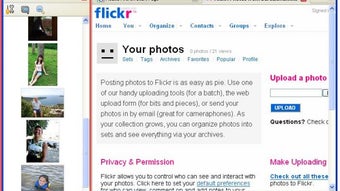
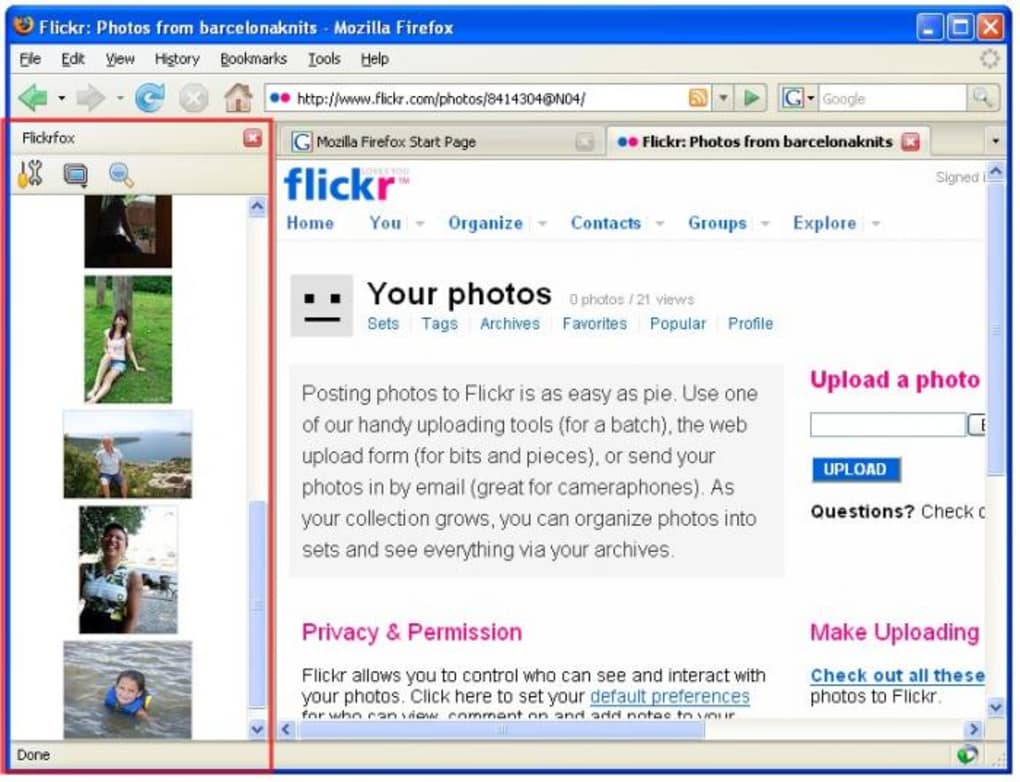
Flickrfox is a lightweight Firefox extension that brings the world of Flickr directly to your browser sidebar. By embedding a customizable photo stream, the add‑on lets you scroll through recent uploads, explore group galleries, keep tabs on friends, and run tag‑based searches without ever leaving the page you’re working on. The concept is simple yet powerful: photographers, hobbyists, and casual browsers can stay connected to the visual community while they browse the web, write emails, or conduct research.
Flickrfox’s interface is deliberately minimal – a vertical pane that occupies a fraction of the screen, showing small thumbnails that expand to full size with a single click. While the thumbnail view can feel cramped on low‑resolution displays, the quick‑preview feature compensates by loading the original image instantly, preserving the high‑quality experience Flickr is known for. The extension also supports basic group management, allowing you to join or leave collections and see the latest discussions.
In short, Flickrfox delivers a seamless, always‑on Flickr experience that is especially handy for users who need constant visual inspiration or who manage large photo portfolios.
Key Features and Functionalities
- Sidebar Photo Stream: A live Flickr feed appears in a detachable Firefox sidebar, updating automatically as new photos are uploaded.
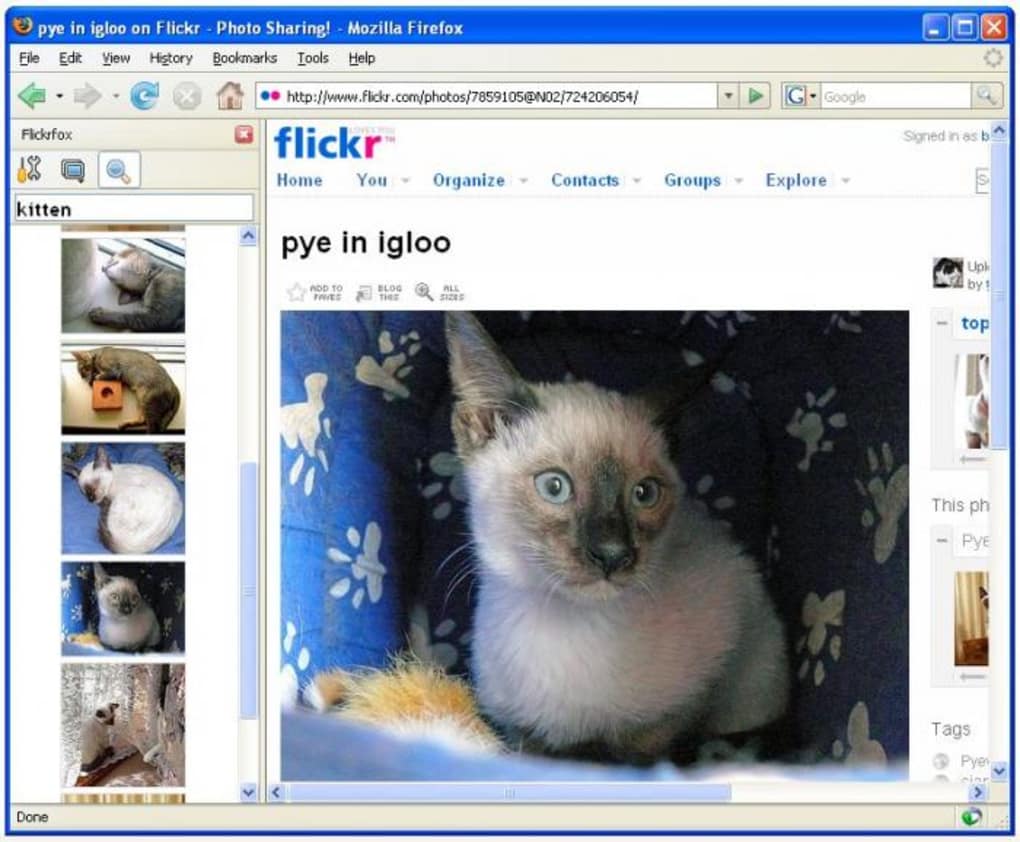
- Tag‑Based Search: Type any keyword or tag into the search box and instantly filter the stream to display matching images.
- Group Management: View, join, or leave Flickr groups directly from the sidebar without opening the Flickr website.
- Contact Feed: Keep an eye on your Flickr contacts’ latest uploads and favorite photos in real time.
- One‑Click Full‑Size Preview: Click a thumbnail to open the original‑resolution image in a new tab, preserving the small‑preview layout.
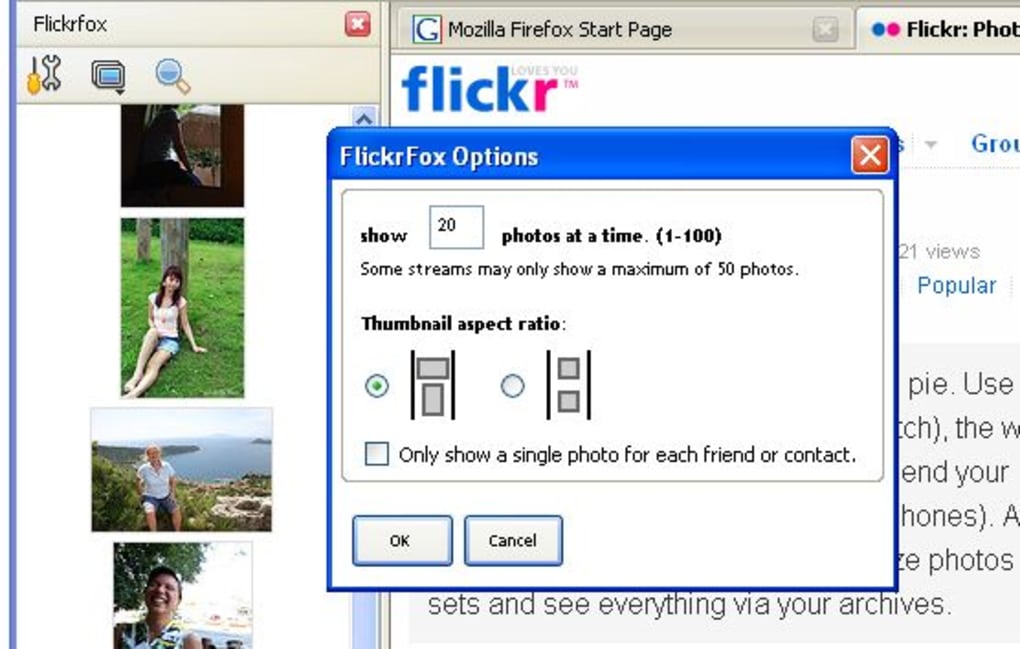
- Customizable Sidebar Width: Adjust the pane width to balance between browsing space and thumbnail visibility.
- Lightweight Architecture: The extension adds only a few megabytes to Firefox’s memory footprint, ensuring fast start‑up times.
- Automatic Updates: Flickrfox checks for updates on launch, delivering bug fixes and new features without manual intervention.
These capabilities make Flickrfox a convenient companion for anyone who lives on Flickr or needs a constant visual reference while working online. The tag‑based search is particularly useful for designers and marketers who hunt for specific visual styles or color palettes. Even though the configuration panel is modest, it covers the essential settings—such as sidebar width, default group, and preferred sort order—so users can fine‑tune the experience without being overwhelmed by options. The seamless integration with Firefox’s native UI also means you can pin the sidebar, hide it, or move it to the opposite side of the window with a single click, preserving your preferred workflow.
Installation, Setup and Daily Usage
Getting Flickrfox up and running is straightforward. First, open the Firefox Add‑ons Manager (Menu → Add‑ons and Themes) and search for “Flickrfox.” Click the Add to Firefox button, confirm any permission prompts, and let the browser download the .xpi package. After installation, Firefox will automatically reload, and a new Flickr icon appears on the toolbar. Clicking the icon slides the sidebar into view, displaying a default “Explore” stream based on the most popular public photos.
To personalize the feed, click the gear icon in the upper‑right corner of the sidebar. Here you can log into your Flickr account, select which groups you want to follow, and choose whether to prioritize contacts or tag searches. The setup wizard walks you through connecting your Flickr credentials securely via OAuth; no passwords are stored locally, keeping your account safe. Once logged in, the sidebar instantly reflects your personal activity—photos from friends appear at the top, and your favorite groups populate the group list.
Daily usage is designed for speed. Browsing through thumbnails feels like scrolling through a photo gallery, but without the need to load a full webpage each time. If a thumbnail is too small to discern details, simply hover over it to see a tooltip with the title, author, and view count. Clicking the thumbnail opens the full‑resolution image in a new tab, where you can download, favorite, or comment as you would on Flickr. The search box at the top of the sidebar accepts multiple tags separated by commas, enabling complex queries such as “sunset, beach, pastel.” Results update instantly, and you can save common searches for future access.
Maintenance is minimal. Flickrfox checks for updates each time Firefox starts; if a new version is available, a discreet notification appears, allowing you to install the update with one click. The add‑on also clears its cache automatically every 48 hours, ensuring that you always see the most recent images without manual refreshes. For power users, a hidden developer mode can be enabled via the about:config page, revealing advanced logging options for troubleshooting.
Compatibility, System Requirements and Performance
Flickrfox is built for the desktop version of Mozilla Firefox and works across Windows, macOS, and Linux platforms. The extension requires Firefox 78 or newer, which ensures compatibility with the latest WebExtensions API. Because it runs entirely within the browser sandbox, there are no additional system libraries or drivers needed, making the installation process uniform regardless of the operating system.
Performance tests show that Flickrfox consumes an average of 25 MB of RAM when the sidebar is active, a negligible impact on modern computers with 8 GB or more of memory. CPU usage remains low, typically under 2 % during idle scrolling, and spikes only briefly when loading high‑resolution previews. The thumbnail caching mechanism stores the most recent 200 images locally, reducing network traffic and speeding up subsequent views.
Network requirements are modest: the sidebar pulls image data via Flickr’s public API, which respects the user’s bandwidth settings. On a typical 10 Mbps connection, the initial stream loads within 2–3 seconds, and subsequent images appear almost instantly thanks to the incremental loading strategy. Users on metered connections can enable the “Low‑Data Mode” in the settings panel, which limits thumbnail resolution to 150 × 150 pixels, dramatically cutting data usage while preserving the visual layout.
Because Flickrfox is a browser extension, it inherits Firefox’s security model. All API calls are made over HTTPS, and the extension does not store any personal data on external servers. The OAuth token used for authentication is encrypted and kept in Firefox’s secure storage, complying with GDPR and other privacy regulations. Regular security audits are performed by the development team, and any vulnerabilities are patched promptly through the automatic update system.
Pros, Cons, Frequently Asked Questions & Final Verdict
Pros
- Instant access to Flickr streams without leaving the current webpage.
- Fast tag‑based search that returns results in real time.
- One‑click full‑size preview eliminates the need for extra navigation.
- Lightweight footprint keeps Firefox responsive.
- Secure OAuth authentication protects user credentials.
- Automatic updates ensure you always have the latest features.
Cons
- Thumbnail area is limited; on low‑resolution monitors images can appear cramped.
- Configuration options are basic; power users may miss advanced filtering.
- No built‑in photo editing tools; the extension is strictly for browsing.
- Only compatible with desktop Firefox; no support for Firefox for Android or iOS.
Frequently Asked Questions
Does Flickrfox work with the latest version of Firefox?
Yes. Flickrfox requires Firefox 78 or newer and is automatically updated through the Add‑ons Manager to stay compatible with each new release.
Can I use Flickrfox on a Mac?
Absolutely. The extension runs on macOS, Windows, and Linux as long as the Firefox version meets the minimum requirement.
Is there a way to limit data usage on a metered connection?
Yes. Enable “Low‑Data Mode” in the settings panel to reduce thumbnail resolution, which dramatically cuts bandwidth consumption.
What happens to my Flickr login credentials?
Flickrfox uses OAuth, so your password never leaves Flickr’s site. The token is stored securely in Firefox’s encrypted storage.
Can I view private photos from my Flickr account?
Yes, once you authenticate via OAuth, the sidebar can display private streams and groups that you have permission to view.
Final Verdict
Flickrfox fills a niche that many Flickr enthusiasts didn’t even realize they needed: a constant, unobtrusive view of the photo world while they work, browse, or research. Its lightweight design, secure authentication, and seamless integration with Firefox make it a solid choice for anyone who wants quick visual inspiration without the distraction of a full‑screen site. While the thumbnail space can feel cramped on smaller screens and the configuration menu is intentionally simple, these trade‑offs are outweighed by the speed and convenience the extension delivers. If you spend a lot of time on Flickr or need a handy visual reference while surfing the web, downloading Flickrfox is a smart move.
Overall rating: 4 out of 5 stars – Flickrfox offers a smooth, secure, and lightweight way to keep Flickr at your fingertips. Minor UI constraints keep it from being perfect, but the core functionality is solid and reliable.







